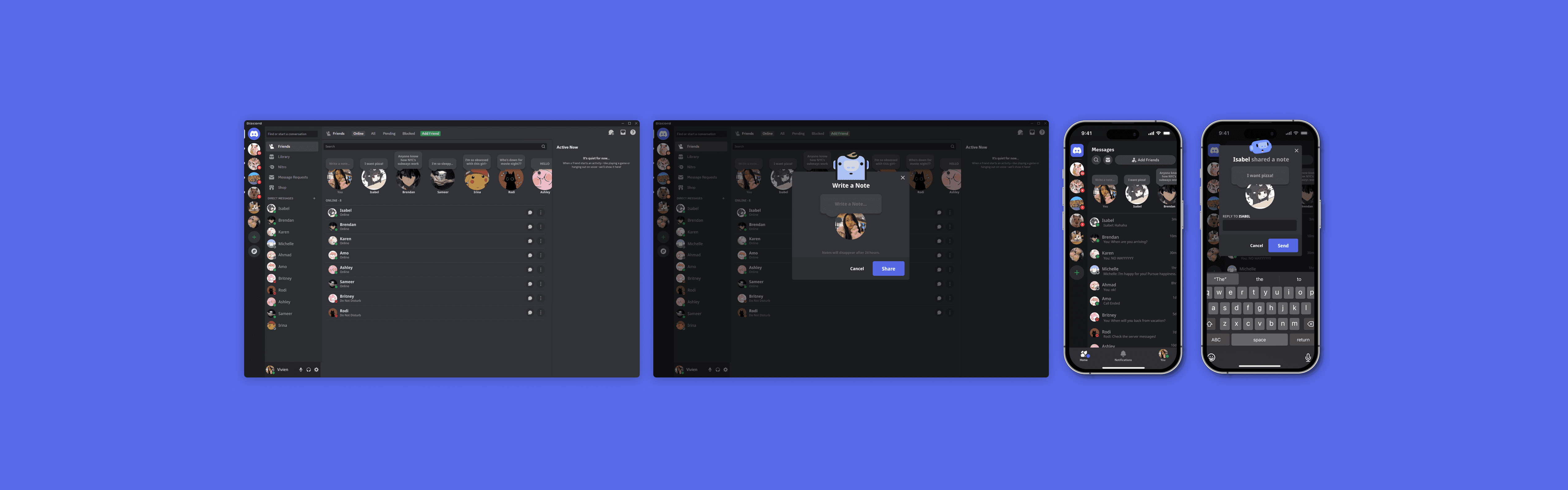
Interactive Note Sharing

CONTEXT
What is Discord?
Discord is a communication platform widely used for gaming, social communities, and collaboration. It enables users to connect via text, voice, and video, fostering dynamic interactions in shared spaces.
ROLE
Product Designer
TEAM
Solo
TIMELINE
December 2024 - Janurary 2025
TOOLS
Figma
Google Workspace
THE PROBLEM
What if I want to share a note with all my friends?
While Discord offers a status feature, it lacks a system for sharing personal notes with others. This limits opportunities for users to write thoughts, share ideas, or initiate discussions, which could enhance collaboration and engagement within communities.
Task: To design and implement a note-sharing system on Discord that allows users to write, share, and reply to notes. This feature will focus on seamless interaction, fostering more meaningful conversations and providing a space for idea-sharing across communities.
COMPETITIVE ANALYSIS
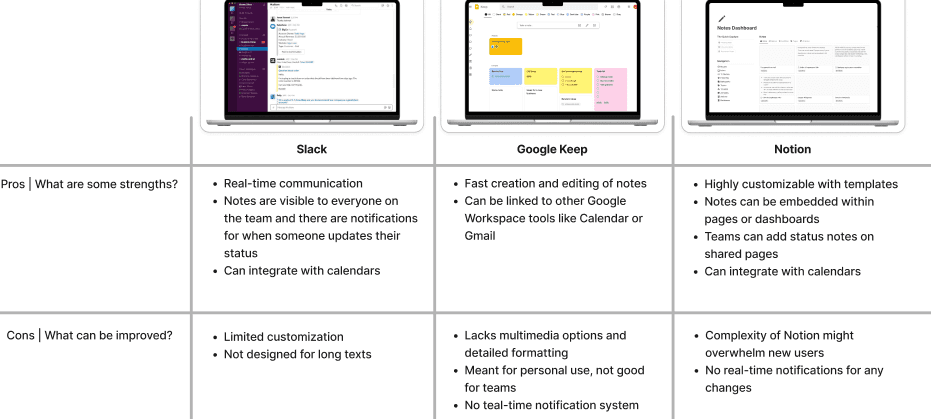
Other note-sharing features
After analyzing competitors’ note-sharing features, I found that simplicity, ease of use, and real-time communication enhance user experience.
USER RESEARCH
How are users currently sharing personal updates with everyone?
In my research plan, I focus on understanding how users currently utilize text channels or direct messages for sharing personal notes and updates and the challenges they encounter with these methods. To explore these questions, I conducted interviews with five participants who use Discord daily, gathering insights into their communication habits, daily interactions, and overall experiences with the platform. Through this process, I uncovered key insights into users’ challenges and communication habits.
Participants emphasized the need for a quick and easy process when creating and sharing notes.
They highlighted the importance of being able to reply to and comment on notes.
There is a desire for real-time notifications when others share their notes.
DEFINE
How can we prioritize user needs?
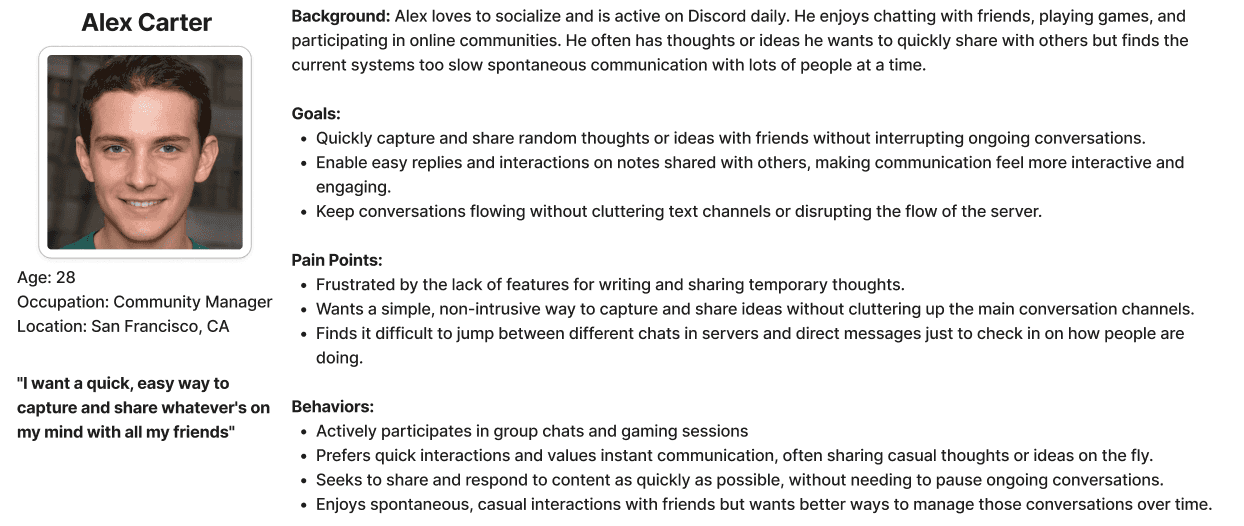
In analyzing user research, I developed a user persona that captured my target audience’s needs, pain points, and goals, which revealed the frustration of switching between servers and direct messages on Discord. From these insights, I identified the need for a streamlined note-sharing feature designed to enhance collaboration.
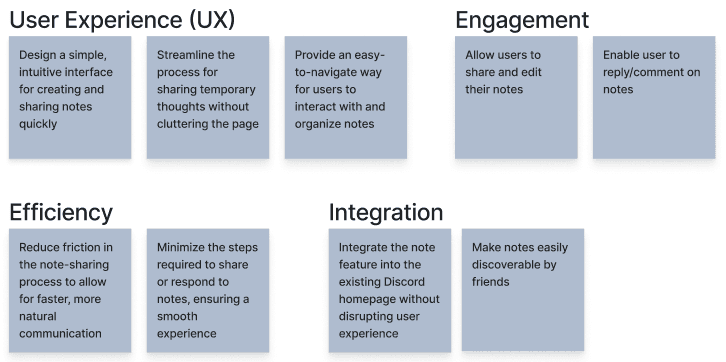
As part of my project goals, I outlined solutions to enhance collaboration, user engagement, and note organization, with a focus on user experience, efficiency, and seamless integration.
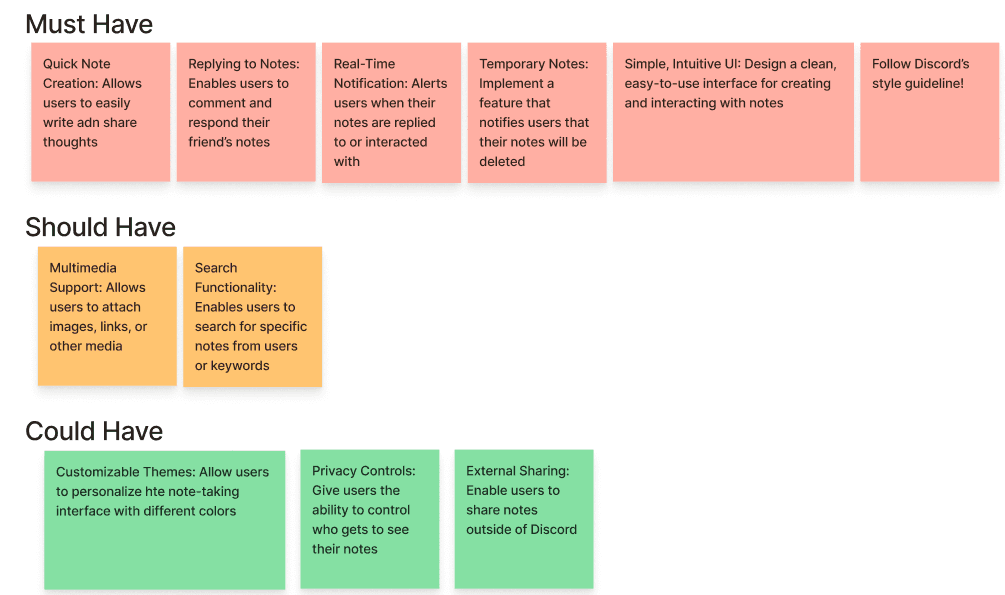
As part of my feature roadmap, I prioritized features as “must,” “should,” and “could have” based on user impact, highlighting quick note creation, replying to notes, and real-time notifications as the most important.
IDEATE
Emphasizing real-time note sharing and replying
I then designed low-fidelity sketches to explore my feature ideas and identify areas for visual experimentation. After envisioning how these solutions could function on Discord, I translated my concepts into the wireframes. This included both web and mobile wireframes for how my features integrate into the existing application.
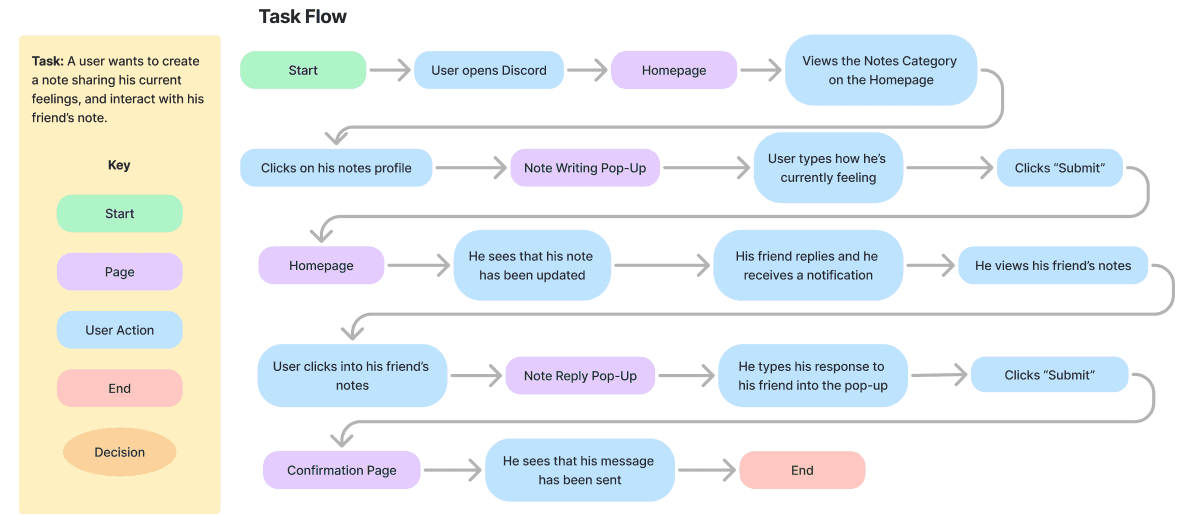
I created a task flow to visualize and clarify the steps a user takes on Discord, starting with sharing their own note, then viewing, and finally replying to a friend’s notes. This helped inform the design of a smoother, more intuitive note-sharing experience.
I also created a user flow map to understand and illustrate users’ key decisions and motivations when creating and interacting with notes. This helped me understand how I could optimize the sequence of actions for an efficient note-sharing experience.
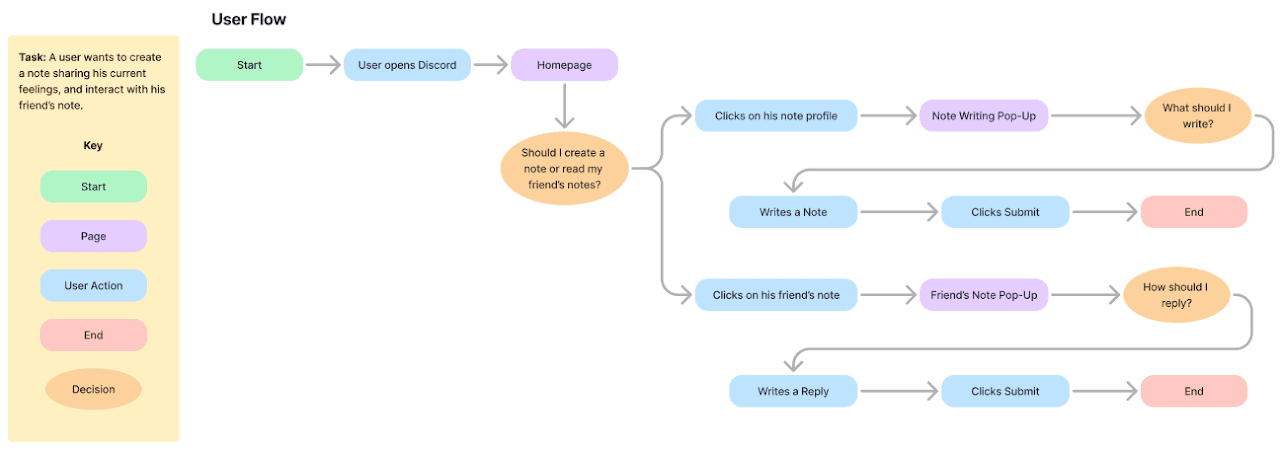
I then designed low-fidelity sketches to explore my feature ideas and identify areas for visual experimentation. After envisioning how these solutions could function on Discord, I translated my concepts into the wireframes. This included both web and mobile wireframes for how my features integrate into the existing application.
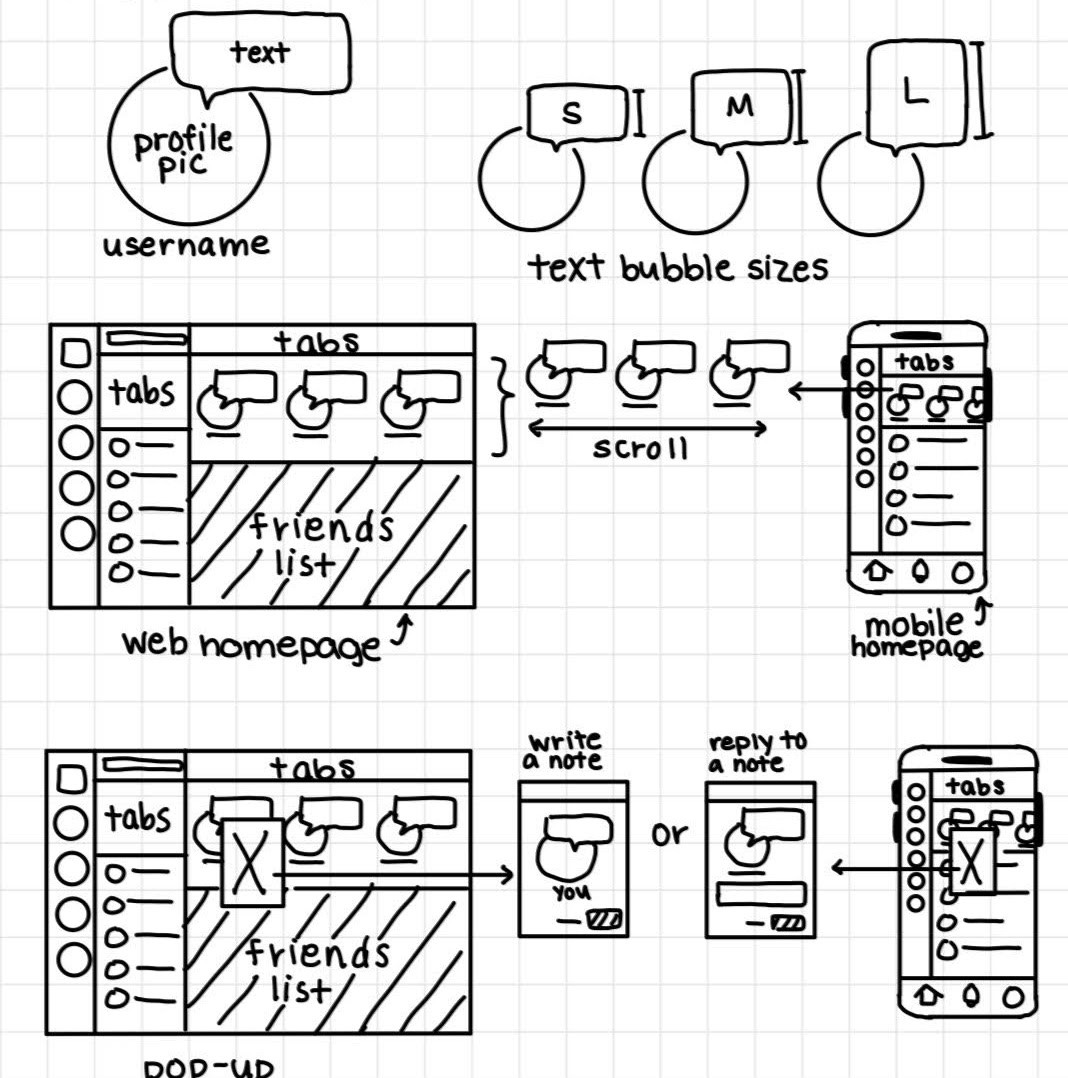
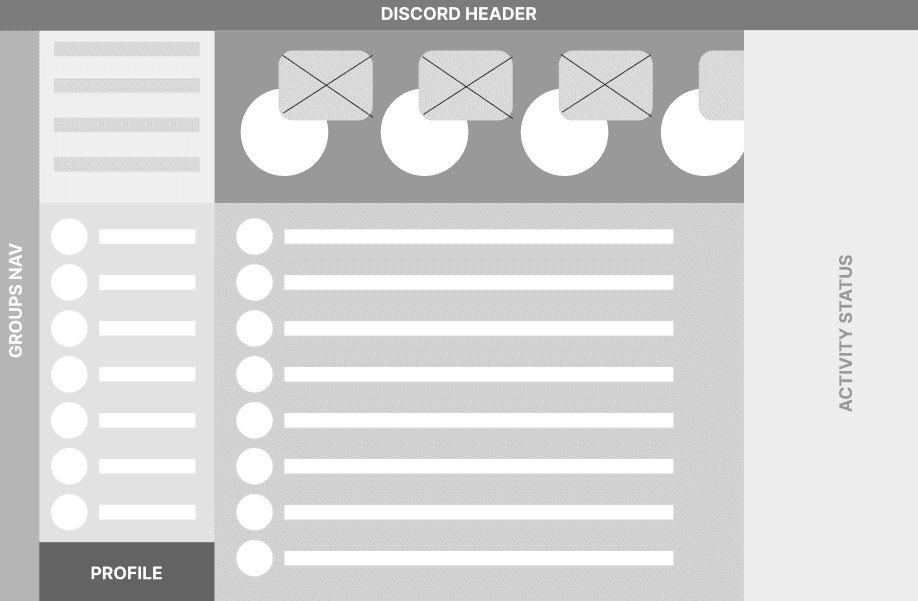
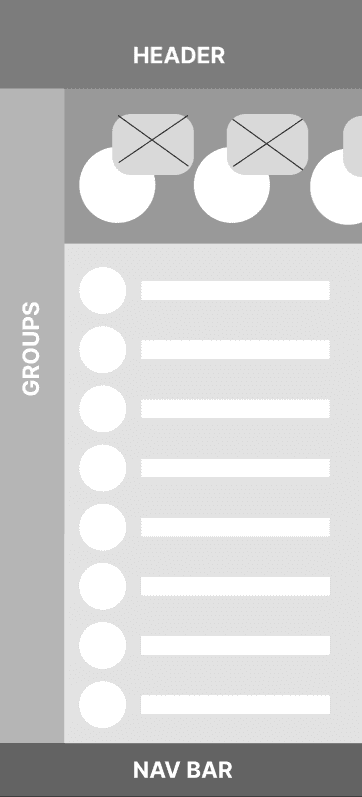
ITERATIONS
Refining the notes experience
My high-fidelity prototype delivered an intuitive and engaging desktop experience for Discord users. It introduced a clean and user-friendly interface for the note-sharing feature, starting with a streamlined homepage, which leads to popups for writing and replying to notes. To improve this prototype further, I conducted two user testing sessions, which led me to these main revisions:
Revision 1: Pop-ups vs. Overlay
Users reported that the pop-up felt intrusive, resembling an unwanted ad, which disrupted their experience.
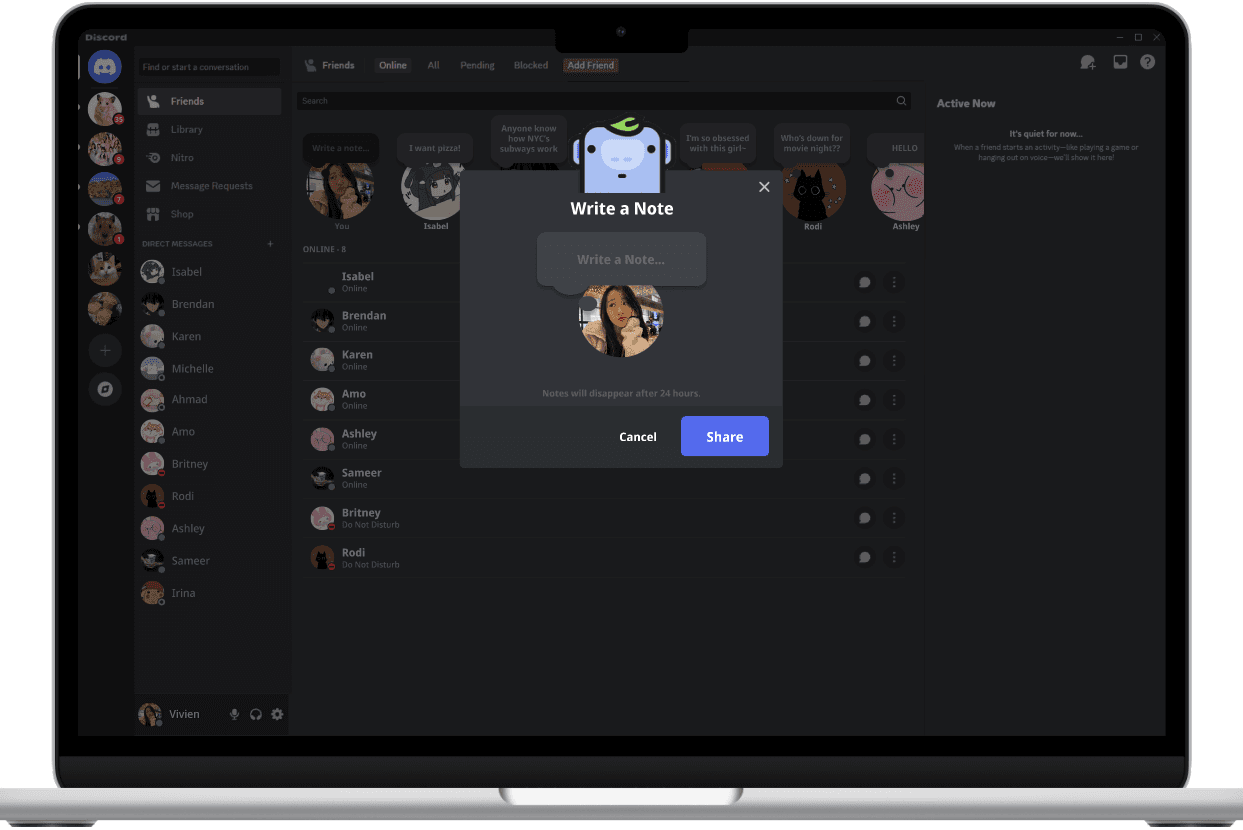
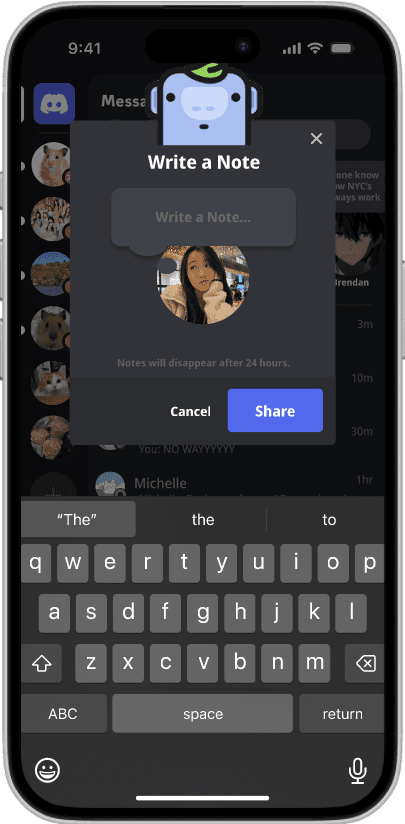
To resolve this, I implemented a screen overlay, darkening the background to reduce distractions and ensuring the note function remained front and center for a more seamless and focused user experience.
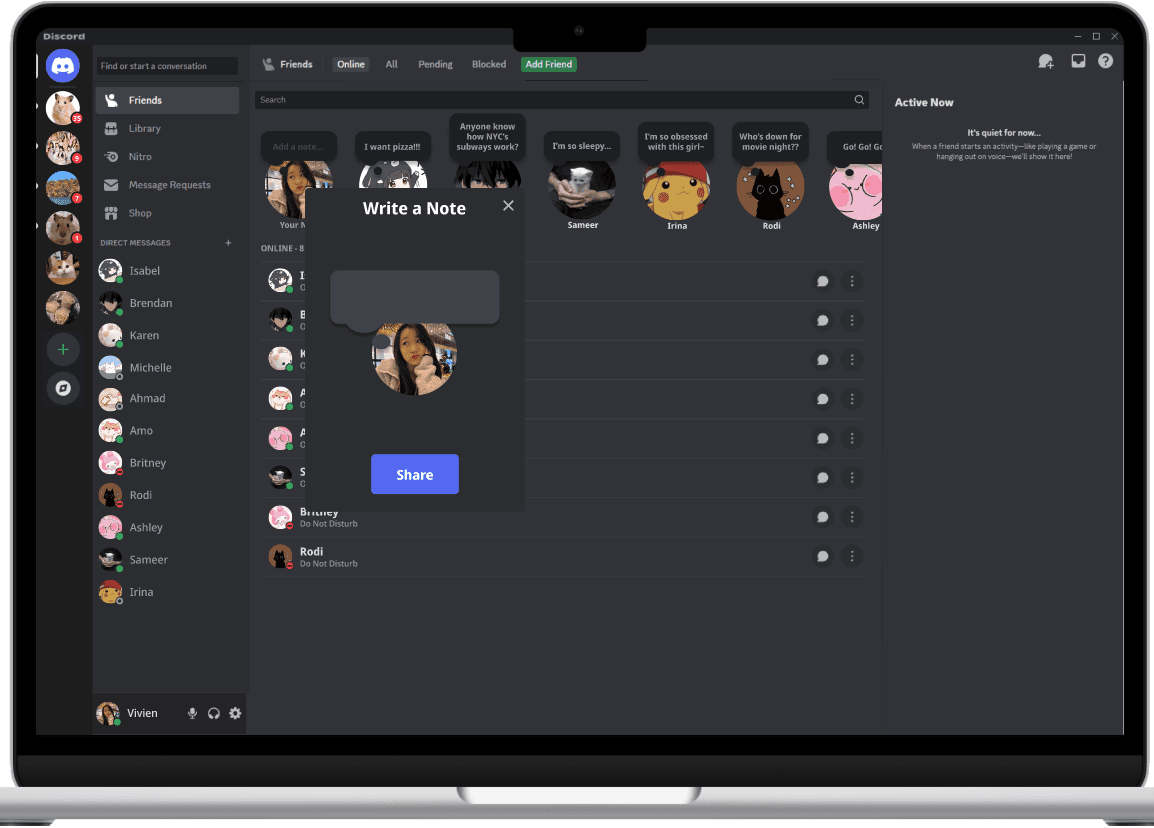
Before
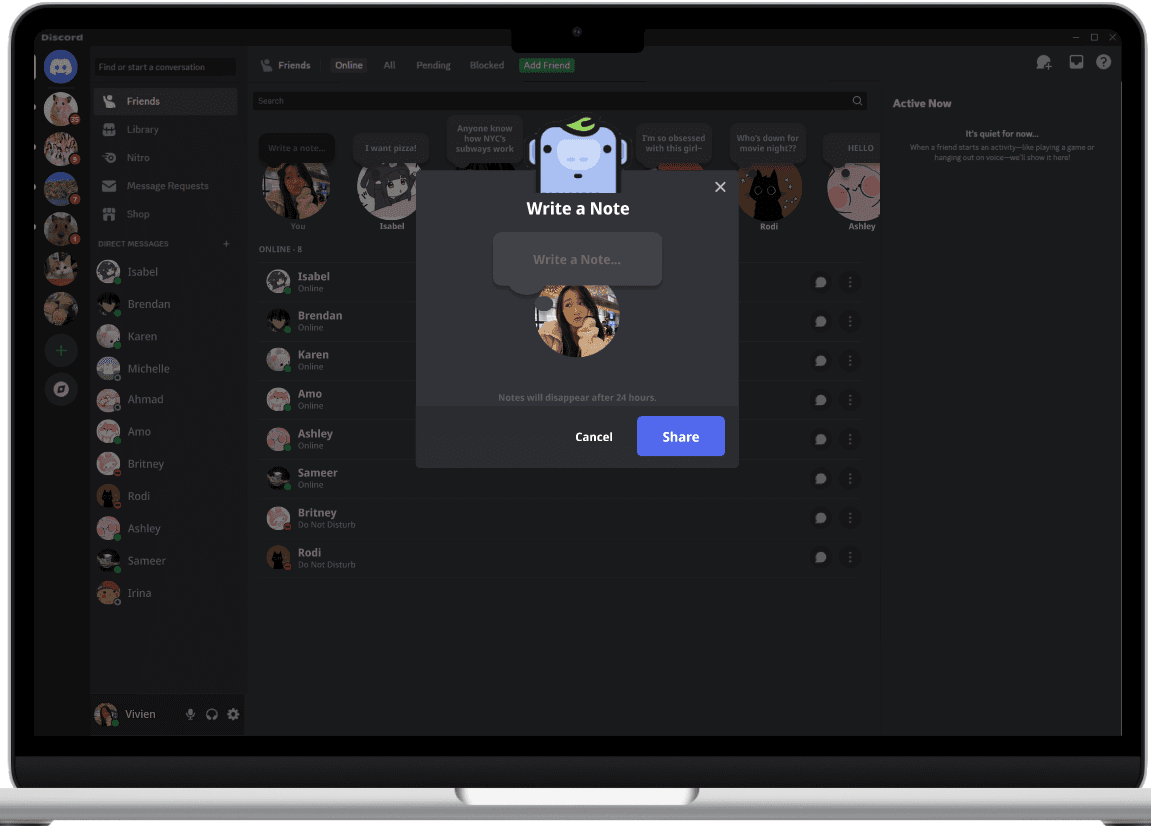
After
Revision 2: Thought Bubble Colors
Participants found that the color of the thought bubble was too dark, as thought bubbles are usually imageined to be a lighter color, similar to a cloud.
I tested multiple shades of gray from discord's style guideline before settling on the light shade of gray that made the thought bubble pop out without being too dark or too light.

Before

After
Revision 3: Interactive Thought Bubbles
Users found the 2D thought bubbles static and desired interactive feedback.
To enhance interactivity, I introduced three visual states: a default state, a hover state for dynamic feedback, and a pressed/clicked state to indicate user interaction, creating a more engaging experience.
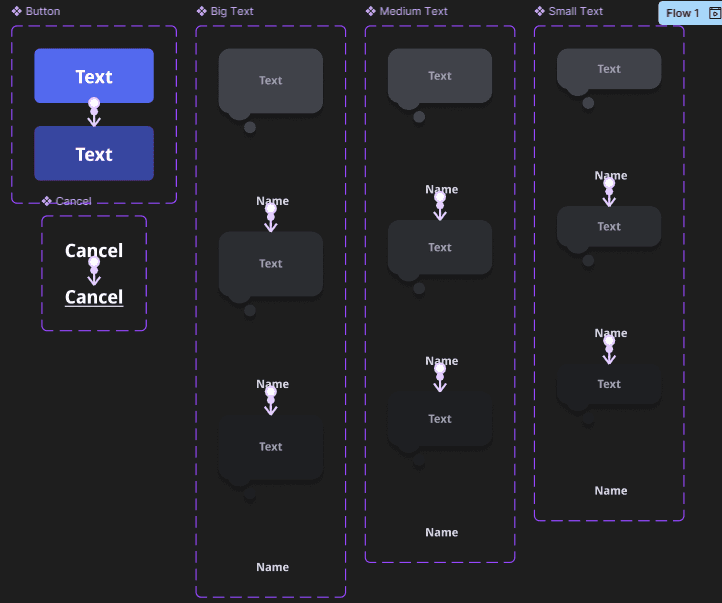
FINAL DESIGNS
IEP Overview Summaries
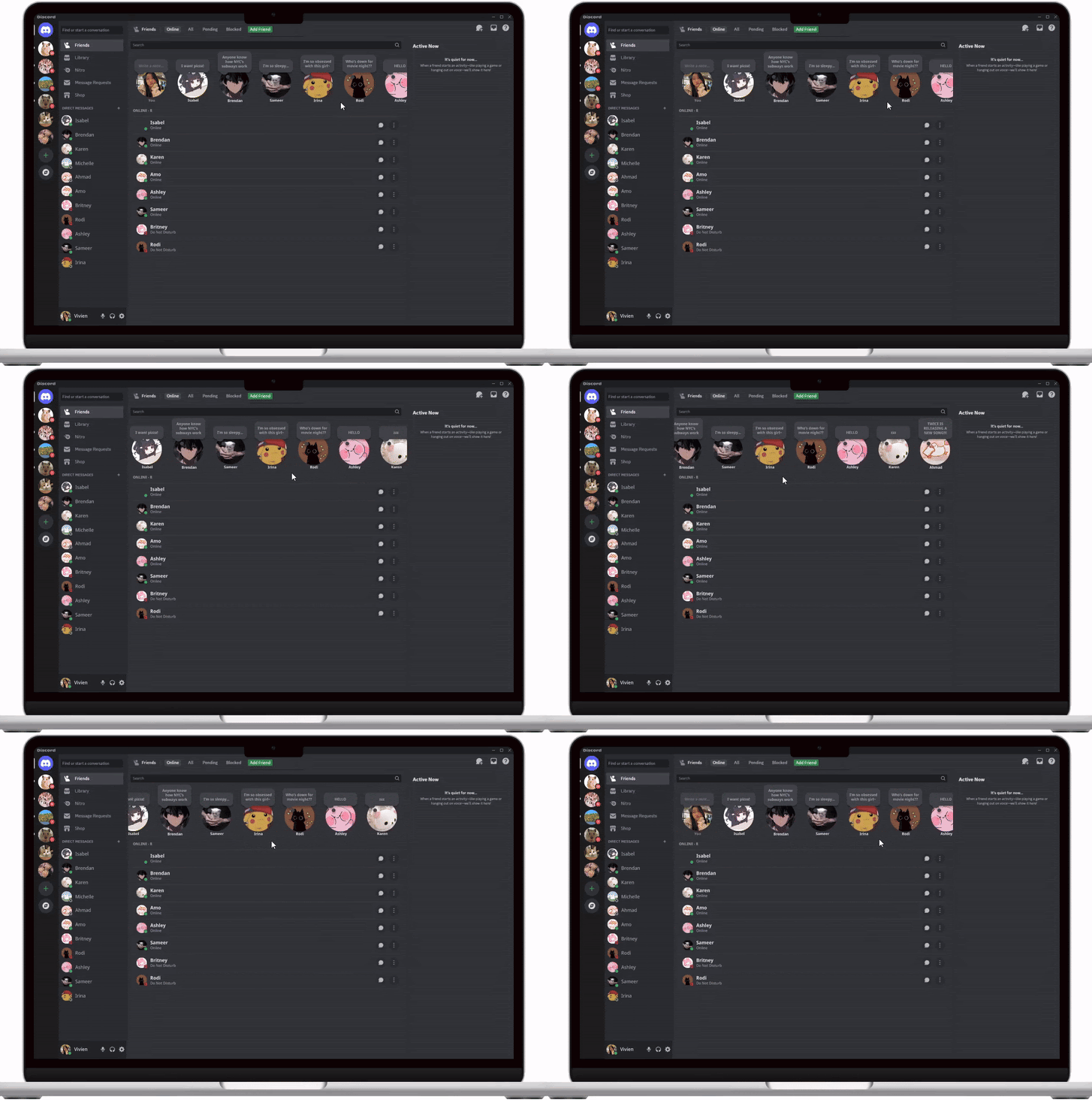
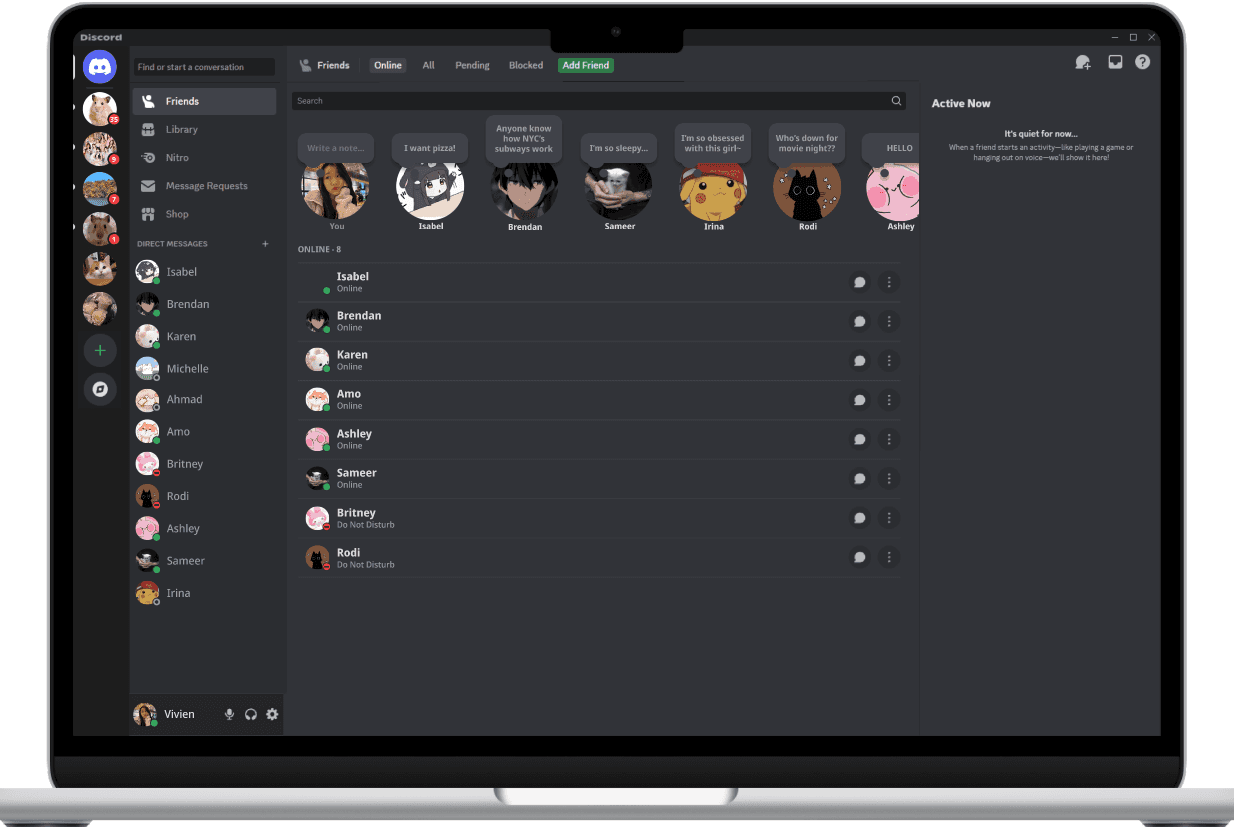

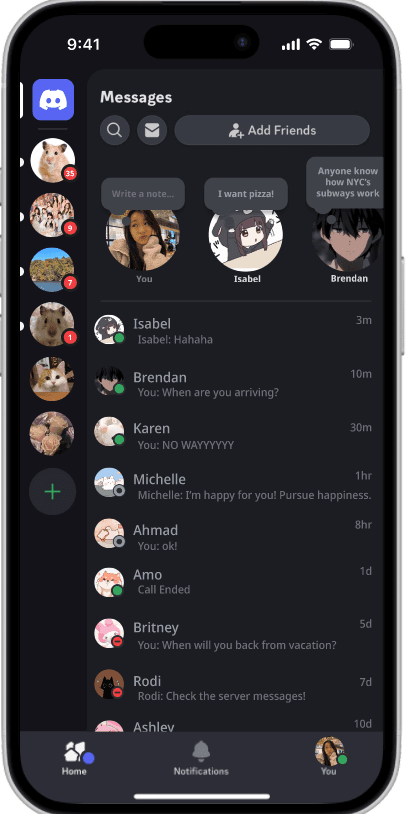
Creating/Editing Notes


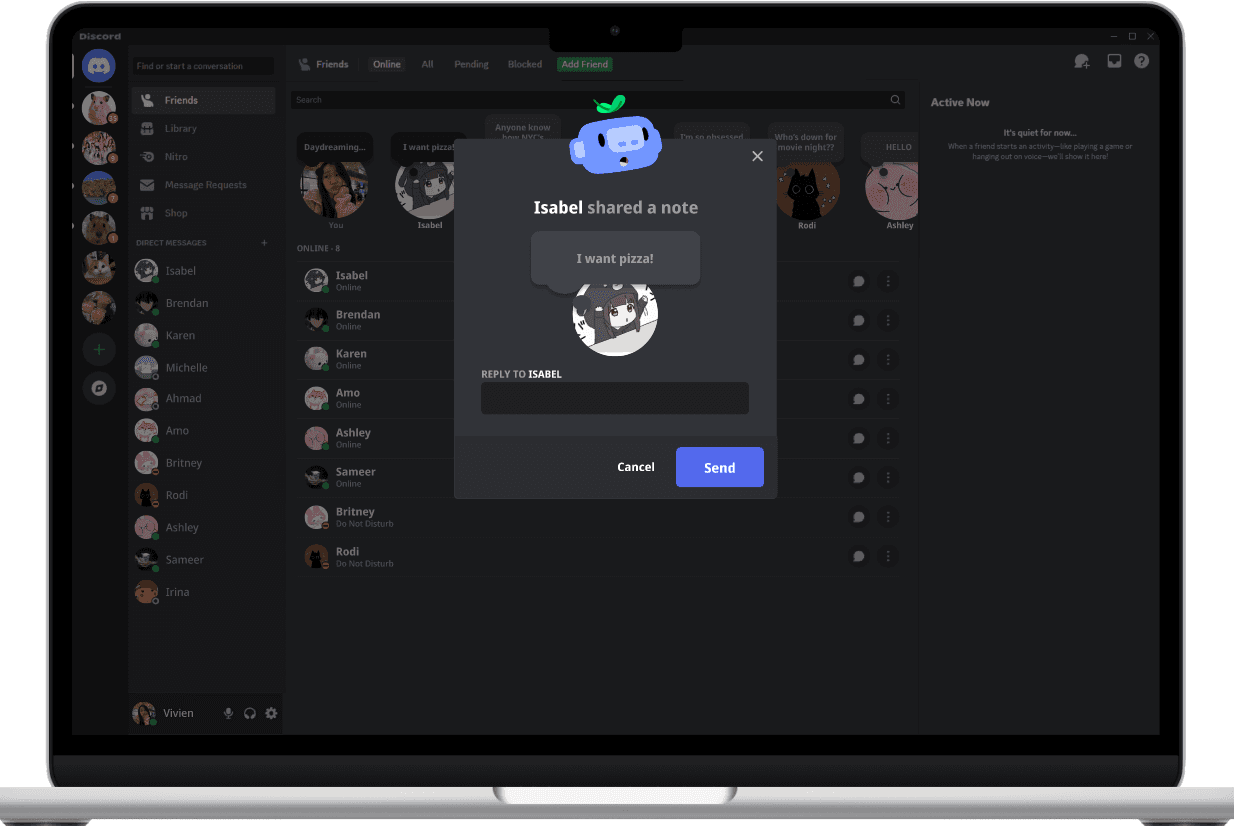
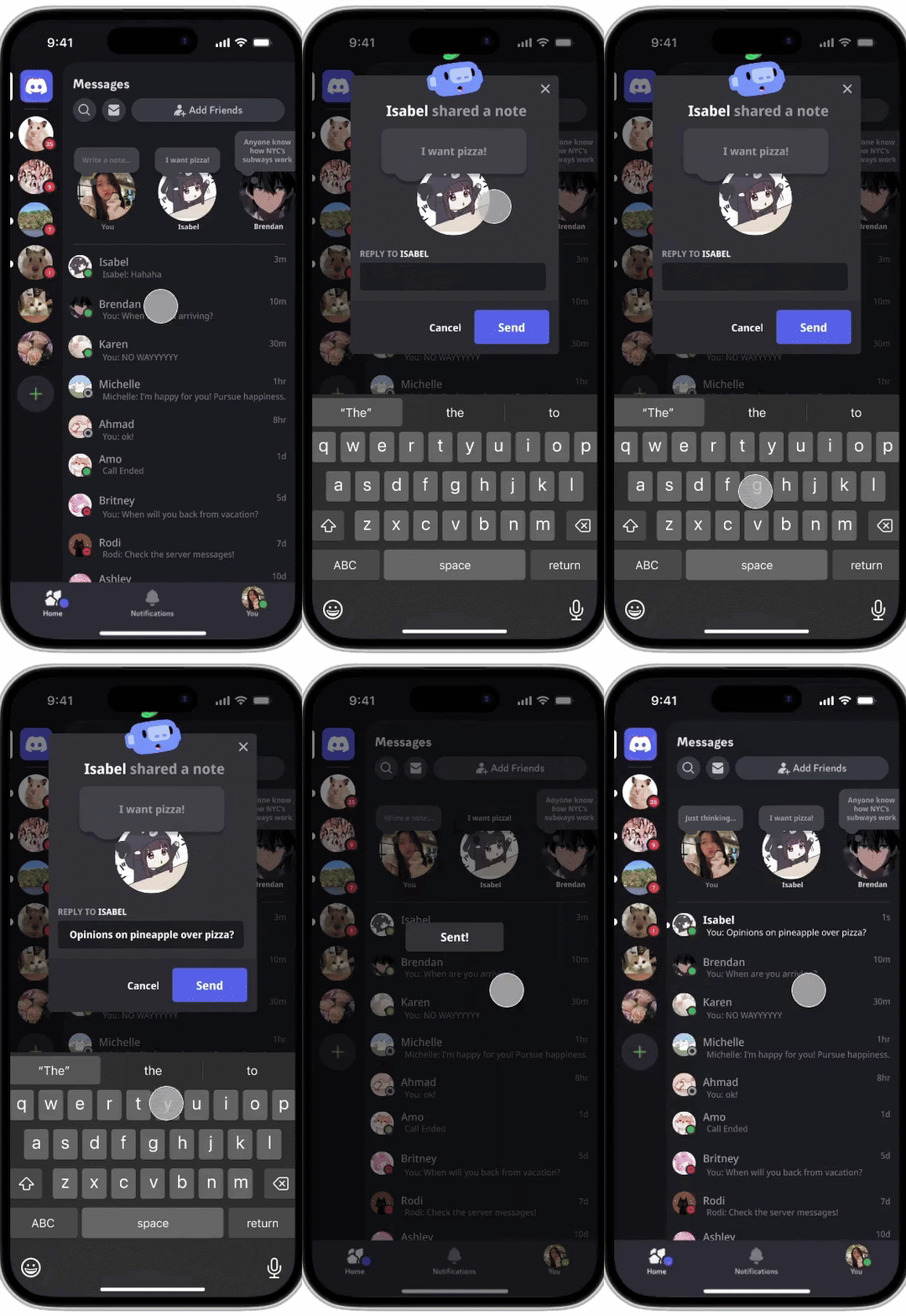
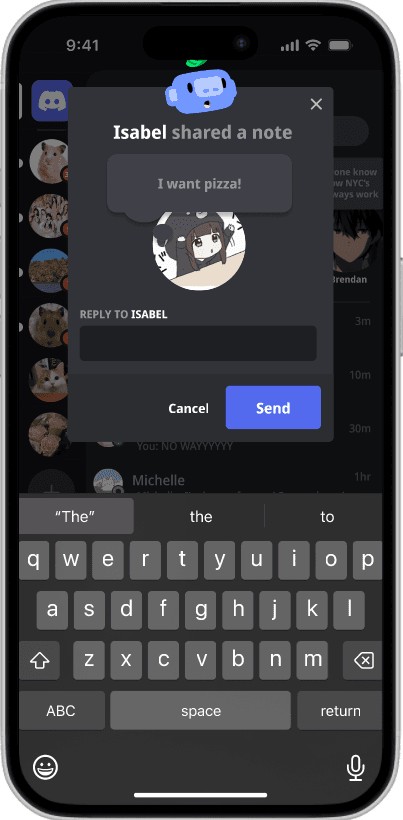
Replying to Notes

CONCLUSION & TAKEAWAYS
Empathy Driven Design and Interaction Feedback
This project reinforced the importance of empathy in user-centered design. By understanding user frustrations with current note-sharing methods, I was able to create a more intuitive solution that better aligns with their needs. Simplifying the note-sharing process showed that clear, straightforward design decisions can significantly improve the user experience without sacrificing functionality. Additionally, incorporating dynamic states such as hover and click animations emphasized the value of interactive feedback, enhancing both user engagement and overall satisfaction.